
Start with the Android Phone You Already Use
PositiveSingles on Android offers a focused place to meet singles living with herpes, HPV, HIV, and other STIs. You can bring dating into the small spaces in your day while keeping the conversation connected to the rest of your life. The purpose is to find people worth talking to, not to spend every spare minute watching a screen.
The app may be a good fit if you want a community where STI-related dating concerns are understood from the outset. You will still encounter different personalities, locations, and relationship goals. Shared context creates an opening; it does not replace the process of discovering whether you enjoy each other's company.
Before installing, think of one thing you would like the first week to accomplish. Finishing a profile, learning how discovery feels, or beginning two interesting exchanges are more useful goals than expecting an immediate relationship. The dating journey guide shows how those early steps connect.
Install Through Google Play
Follow the Android download button to the approved Google Play route. Confirm the Positive Singles: Herpes Date listing and the PositiveSingles.com developer identity shown by Google Play. Install from the store rather than from an unsolicited message offering an alternative app file or a free premium version.
Google Play identifies the app as free to download with in-app purchases. The listing's compatibility information applies to the device and account you are using. If the install action is unavailable, read the store's explanation before trying to work around it. Device version, region, or account settings may affect availability.
Existing members should return to their existing account. New users can prepare an introduction and a few photographs before joining, which makes the first session less rushed. Our registration preparation guide explains the decisions worth making ahead of time without asking you to submit account information on this website.
Explore People with a Clear Intention
Give discovery a direction by deciding which preferences truly affect your ability to meet. Distance, relationship goals, and the time you can invest in getting to know someone may matter more than a long list of minor preferences. If the results feel too narrow, reconsider one flexible preference instead of abandoning every boundary at once.
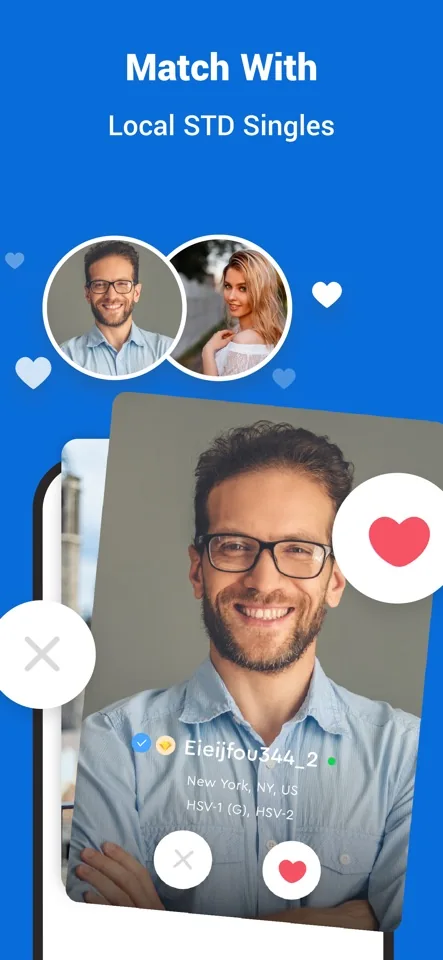
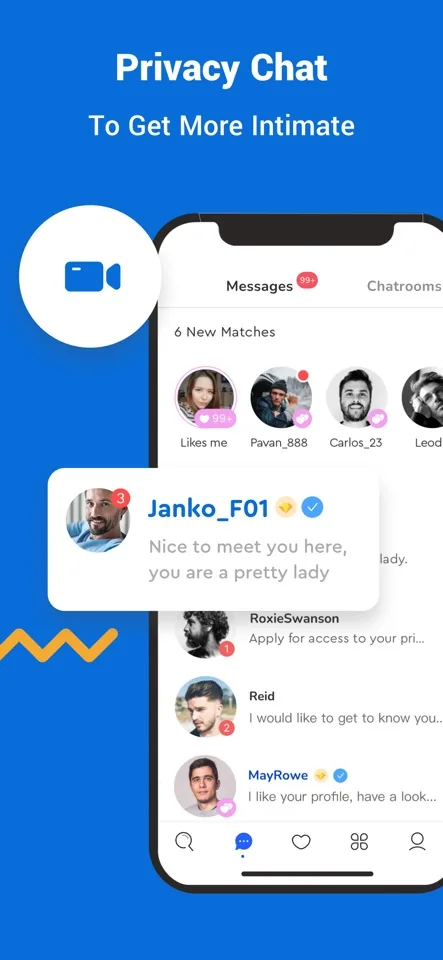
The Android listing describes search and Flame alongside community features such as blogs and Drift Bottles. A focused profile search can suit a person with a clear idea of whom they hope to meet; a written contribution can offer an opening through humor or perspective. You can explore these routes according to the access in your account, rather than relying on a photograph alone to tell you whether someone is interesting.
Open profiles with enough attention to notice a conversation possibility. Someone who mentions an evening class, a pet, or a favorite local activity is giving you more than a label. A short message about that detail can make your interest feel personal. Avoid treating discovery as a task where the only aim is to move through as many profiles as possible.
The preferences guide helps separate genuine dealbreakers from habits that may be unnecessarily limiting your choices. It does not promise a hidden algorithm shortcut. Better decisions come from understanding what you are looking for and how you respond to actual people.
Decide Which Permissions Support Your Use
Android permissions should make sense in relation to what you are doing. A photo upload may lead to a photo-access request; a camera action may require camera permission. Review the choices your phone offers and grant access deliberately. Android versions and phone manufacturers can use different labels or organize these settings differently.
If you decline a permission, a related feature may not work until you change that choice. That is different from assuming every permission must be enabled all the time. Look for the smallest access level that supports the action you want, where your device provides such a choice.
Location deserves particular thought. A location-related feature can be useful for relevant discovery, but you should still understand what information your profile visibly communicates. Device permission, search preferences, and public profile details are different layers. None should be treated as a guarantee that your whereabouts are hidden or precisely shown to other people.
Understand Google Play Purchase Management
If you buy a subscription through Google Play, manage that purchase through the Google account that paid for it. Your dating profile email does not necessarily identify the billing account. Save the purchase receipt and verify the account shown in Play before concluding that a subscription is missing.
Google's subscription controls let you inspect and manage eligible recurring purchases. Review the renewal date and the result of any cancellation action. Uninstalling an app does not cancel a subscription. Likewise, removing a profile is a separate account action; do not assume one step has completed the other.
For website purchases or an earlier Apple purchase, the billing route may be different even if you now use Android. The membership cost guide explains why channel and term matter. Identify the existing purchase before buying again, and contact the appropriate provider when a receipt and the app's access status do not agree.
Make Your First Reply Easy to Answer
Once you find an interesting profile, begin with a real observation and one clear question. You might ask what drew someone to a hobby or which detail of a recent outing they enjoyed most. Leave room for them to answer in their own way. An opening message is an invitation, not an interview or a request for an immediate commitment.
Pay attention to reciprocity. A promising exchange includes curiosity in both directions, respect for boundaries, and enough consistency to keep learning about each other. If someone pressures you for money, private documents, or intimate images, pause and use the available reporting route rather than trying to preserve the connection at any cost.
Your Android download is a practical first step toward finding that kind of exchange. Bring a profile that sounds like you, a realistic idea of distance, and enough patience to notice the people who are making an effort too.
Platform sources: official Google Play listing and Google Play subscription management.